How to merge duplicate loyalty customers across Shopify and Square
Fix split points and blank Square-only profiles when the same shopper buys online and in-store. Phone-first matching, merge workflow, and staff scripts for AU merchants.
2026-05-24 · Lance
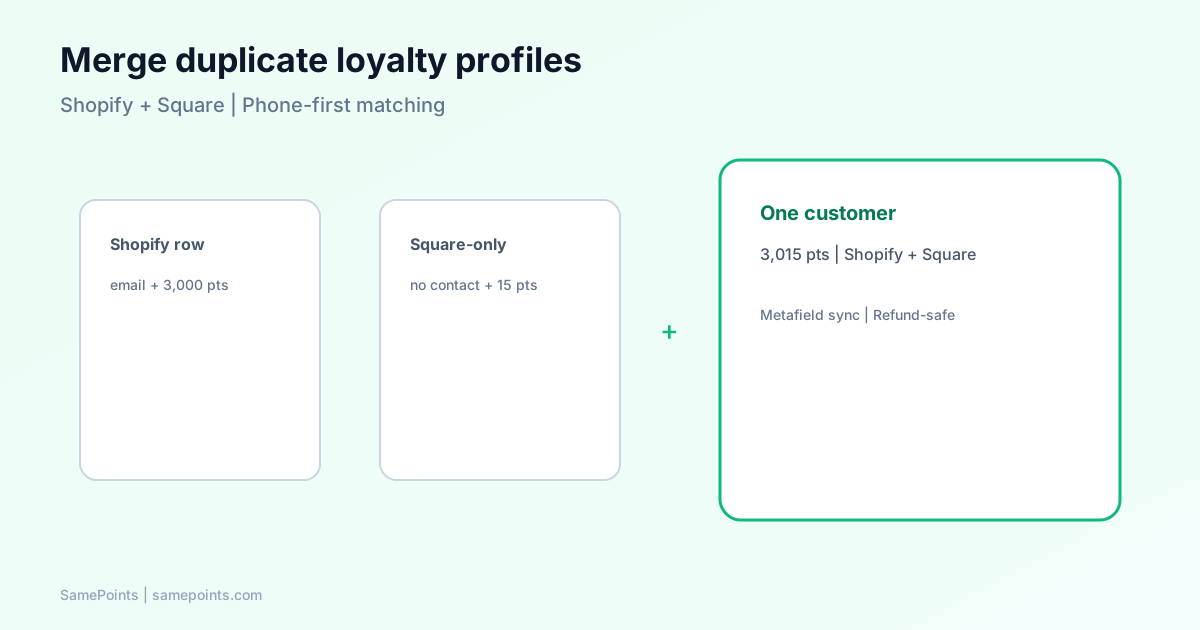
Short answer: Duplicate loyalty profiles happen when the same person checks out on Shopify with an email and pays in-store on Square with only a card or a different Square customer ID. Fix it by using phone as the primary key, connecting both channels with one-click OAuth, and merging duplicate rows in your loyalty app so points and Shopify metafields sit on one profile.
Hybrid AU retailers hit this constantly. Shopify creates jane@example.com. Square creates square:ABC123 with no name. Staff say “you have zero points” while the online account shows 3,000. That is a data identity problem, not a broken rewards formula.
Why duplicates appear (even with “one” loyalty app)
| Channel | What the system sees first | Common gap |
|---|---|---|
| Shopify online | Email, sometimes phone | Square ID missing until linked |
| Square Terminal / VT | Square customer_id; phone only if staff enters it |
No email on receipt |
| Square Directory | Phone when added at counter | May post after first payment webhook |
Square’s own Customers API guidance says CreateCustomer does not dedupe automatically — you should search by phone or email before creating profiles. Payment webhooks can still arrive with only a customer_id (payment.updated).
SamePoints reduces new duplicates by:
- Normalising AU phone numbers (
+614…→04…). - Matching phone first, then Square ID, then email on every payment.
- Pulling phone from Square’s API when the payment webhook omits it (after Connect Square OAuth).
Existing duplicates from before those rules need a one-time merge.
Symptoms your team will recognise
- Customers table shows two rows: one with Shopify tag, one with only Square and dashes for name/email.
- Points earned in-store do not appear on the Shopify “My rewards” page.
- Logs show
processedbutsquare_only_no_shopify_linkon older payments. - Refunds deduct points from the wrong profile.
Staff script: “We match accounts by mobile number. Can I confirm the number you used online? I’ll merge your in-store balance in our system.”
Merge workflow (operator checklist)
Before you merge
- Both channels connected in Settings (Shopify + Connect Square).
- Identify the keeper profile: usually the row with email and Shopify link.
- Note combined points you expect after merge.
In SamePoints → Customers
- Search by email or phone.
- Select the keeper row and the duplicate (checkboxes).
- Click Merge profiles — choose the profile with Shopify / email as primary.
- Confirm combined balance matches expectation.
After merge
- Run a $1 test payment in Square with the same phone on the customer record.
- Confirm Logs: same
customerId, Shopify metafield updates if linked. - Tell the customer to log in with the same email they use online.
See Square setup and webhooks + reconciliation if new payments still split.
Prevention rules for front of house
| Rule | Why |
|---|---|
| Always capture mobile in Square when creating a customer | Phone becomes the shared key with Shopify |
| Use the same email online and at the counter when possible | Faster Shopify customer match |
| Avoid “guest” Square sales for loyalty members | No customer_id = no reliable match |
| Train staff not to create a second Directory entry per visit | Square duplicate profiles multiply (Square Community discussion) |
How this differs from Shopify-only merge tools
Shopify Admin and some third-party apps merge Shopify customer records. They do not see Square ledger rows or in-store payment IDs.
Unified loyalty needs:
- One points ledger across platforms.
- Refund linkage by
payment_idon Square (points sync guide). - Shopify metafield write-back to the surviving
customer_id.
That is why merges belong inside the loyalty layer, not only in Shopify Customers.
FAQ
Why does my Square customer show blank name and email?
The payment or customer webhook only included Square’s internal ID. Add phone in Square Directory, or merge into the Shopify-linked profile after you have contact details.
Should I merge Square-only into Shopify or the other way around?
Keep the profile that has Shopify customer ID + email. Move Square-only ghost rows into that primary record so storefront points stay correct.
Will merging break refund tracking?
No if both profiles are in the same loyalty app. Ledger entries move to the primary customer; future refunds still reference the original square_payment_* order reference.
Does Square merge duplicate customers automatically?
Square can merge duplicates in its Directory, but that does not merge your external loyalty database. You still need to merge inside SamePoints (or your middleware).
What is SamePoints?
SamePoints is loyalty software for merchants on Shopify and Square: one balance, phone-first matching, profile merge in the dashboard, a refund-safe ledger, and customer-claimed gift cards at a points threshold.
Ready to unify Shopify + Square loyalty?
Start free