How to use Square with Shopify (the hybrid retail setup)
A practical guide to running Square in store and Shopify online — which system owns what, the order to set it up in, and the three decisions that prevent split customer data.
2026-08-07 · Lance
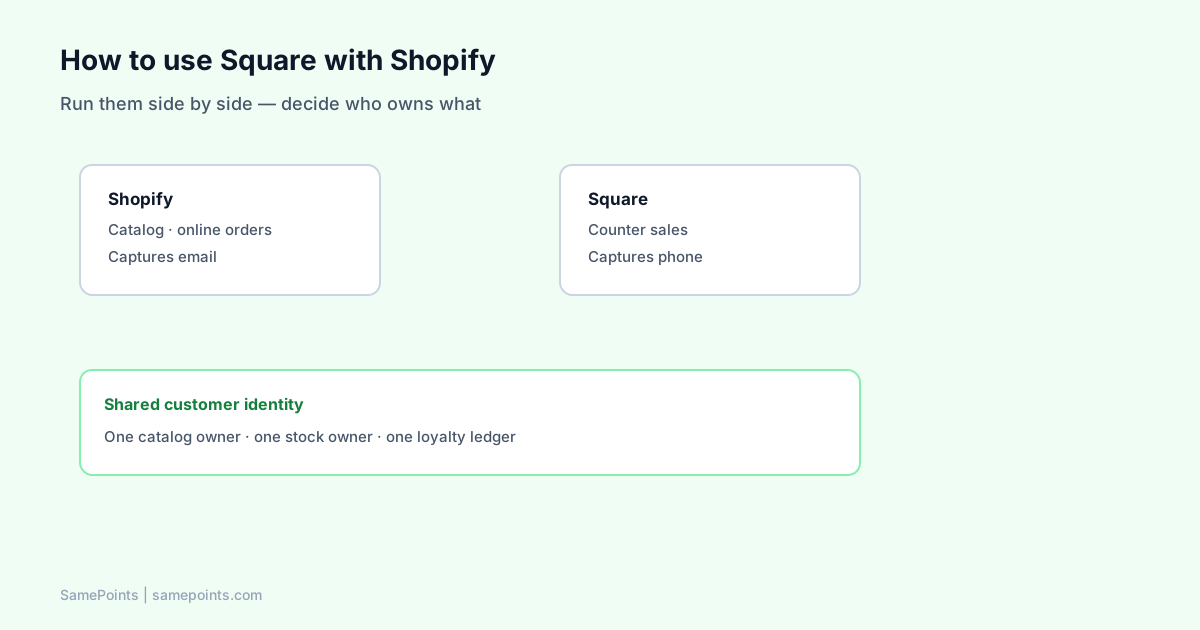
Short answer: You run them side by side, not merged. Shopify owns your online store and Square owns your counter, and you connect the layers around them — catalog, customer identity, and loyalty. There is no mode where the two platforms become one system, so the work is deciding which system owns what and sticking to it.
This is the setup most hybrid retailers land on, in the order you should build it.
Step 1 — Assign ownership before you touch settings
Almost every problem in a Shopify + Square store traces back to two systems believing they own the same record. Decide this first and write it down:
| Layer | Owner | Why |
|---|---|---|
| Product catalog | Shopify | Richer product data, and it feeds your storefront |
| Stock levels | One system, chosen deliberately | Two writers on one number always drifts |
| Online payments | Shopify | Square is not a Shopify gateway (why) |
| In-person payments | Square | Its hardware and rates are why you chose it |
| Customer identity | Shared key: email + phone | The only thing that crosses both rails |
| Loyalty balance | One ledger | A split balance is visible to customers |
Shopify as catalog owner is the common default, but it is not mandatory. If your staff add products at the counter faster than anyone updates the website, Square may genuinely be the better source of truth. What matters is that it is one of them.
Step 2 — Set up the two platforms independently
Get each working on its own before connecting anything:
Shopify side
- Products, collections, and shipping configured.
- Shopify Payments enabled where available.
- Checkout requiring an email address.
Square side
- Square Point of Sale with your item library.
- Locations set up correctly — this matters later for reporting.
- Phone number capture turned on at checkout.
That last point does more work than anything else in this guide. Without a phone number, an in-store shopper is anonymous, and nothing downstream can connect them to their online account. See why phone number capture matters.
Step 3 — Sync the catalog one direction
Connector apps in the Shopify App Store push products and stock between the platforms. Two rules:
- One direction only, from whichever system you named the owner.
- Match SKUs exactly before you enable it. Sync tools match on SKU, and a mismatch creates duplicates rather than an error message.
Run it on a handful of test products first. A bad first sync across a full catalog is genuinely painful to unwind.
Step 4 — Decide where loyalty lives
This is where hybrid setups usually break, because both platforms offer a loyalty product and neither knows about the other.
If you run Square Loyalty and a Shopify loyalty app, you have two programs. The customer who spends $200 online and $200 in store sees two separate balances and assumes you have lost their points. You cannot explain your way out of this — the fix is architectural.
Pick one earn authority:
Option A — one ledger listening to both rails. Turn Square Loyalty off. A payment-webhook layer earns from Shopify orders/paid and Square payment webhooks, and the balance shows on your Shopify storefront. Staff tell customers to check the website.
Option B — Square Loyalty only, in store only. Simple and honest. You lose online earn, which most DTC brands will not accept long-term.
Option C — custom bridge. Mirror Square Loyalty balances into Shopify metafields with your own code. Budget weeks plus ongoing maintenance, especially around refunds.
Most merchants running both platforms end up at A. The tradeoff is that balances live on your website rather than the Square Customer Display, since Square does not expose that screen to third parties.
Step 5 — Train staff on the one sentence that matters
Whatever you build, it fails at the counter if staff do not ask for identity. The script:
"What's your mobile? That keeps your points on the same account as our website."
Two things happen in that sentence: you capture the matching key, and you set the expectation about where the balance lives. Both are necessary.
Day-to-day: what you still do manually
Being honest about the seams:
- Two payout streams to reconcile in accounting. Shopify pays out online sales, Square pays out counter sales.
- Two dashboards for platform-native reporting. Combined revenue-per-customer needs an export or a BI tool.
- Two refund flows. Refund in the system that took the payment. If loyalty spans both, make sure your ledger listens to refund events on both sides, or points survive a refunded order — see refunds and loyalty points.
None of these are dealbreakers. They are the cost of using the best tool on each side.
The three decisions that prevent most problems
- Which system owns stock? Answer before enabling any sync.
- What is your customer matching key? Phone in store, email online, and something that reconciles them.
- Which system awards points? Exactly one, or you will double-award.
Get these three right and the rest is configuration. Get them wrong and you will be manually merging customer records six months from now.
What is SamePoints?
SamePoints is the loyalty layer for exactly this setup. It listens to Shopify order webhooks and Square payment and refund webhooks, keeps one immutable ledger with the same earn and refund rules on both sides, and syncs the balance to Shopify customer metafields so it displays on your storefront. It does not require Square Loyalty — that should be off — and it does not touch payment processing. Customers claim Shopify gift cards from the storefront launcher at your threshold.
Install from Shopify Admin · Square setup guide
FAQ
Can Shopify and Square share one product catalog?
Not natively, but connector apps sync products and stock between them. Choose one platform as the source of truth and sync one direction — two-way sync on the same SKUs causes conflicts that are hard to unwind.
Do I need Shopify POS if I already use Square?
No. Many retailers run Shopify for the online store and Square at the counter with no Shopify POS at all. You only need Shopify POS if you want Shopify to handle in-person payments, which means replacing Square hardware.
How do customers get one loyalty balance across both?
By running a single ledger that listens to payment events from both platforms rather than using each platform's built-in loyalty product. The matching key is customer identity — email online, phone number in store.
Will my Square sales show up in Shopify reports?
No. Square sales stay in Square's reporting and Shopify sales stay in Shopify's. Combined reporting requires exporting both or connecting them to a separate analytics tool.
Should I turn off Square Loyalty?
If you are running a unified loyalty ledger, yes — otherwise both systems award points on the same in-store sale and balances inflate. If Square Loyalty is your only program and you accept that online purchases do not earn, keep it.
What happens to points when an order is refunded?
That depends on your loyalty layer. A ledger that only listens to sales will leave points awarded on refunded orders. Make sure refund events from both Shopify and Square are handled, or staff will be adjusting balances by hand.
Ready to unify Shopify + Square loyalty?
Start free