Why loyalty points are different online vs in-store (and how to fix)
Customers see different loyalty points on your website vs Square till? Diagnose split balances, duplicate profiles, and fix with one ledger across Shopify and Square.
2026-06-14 · Lance
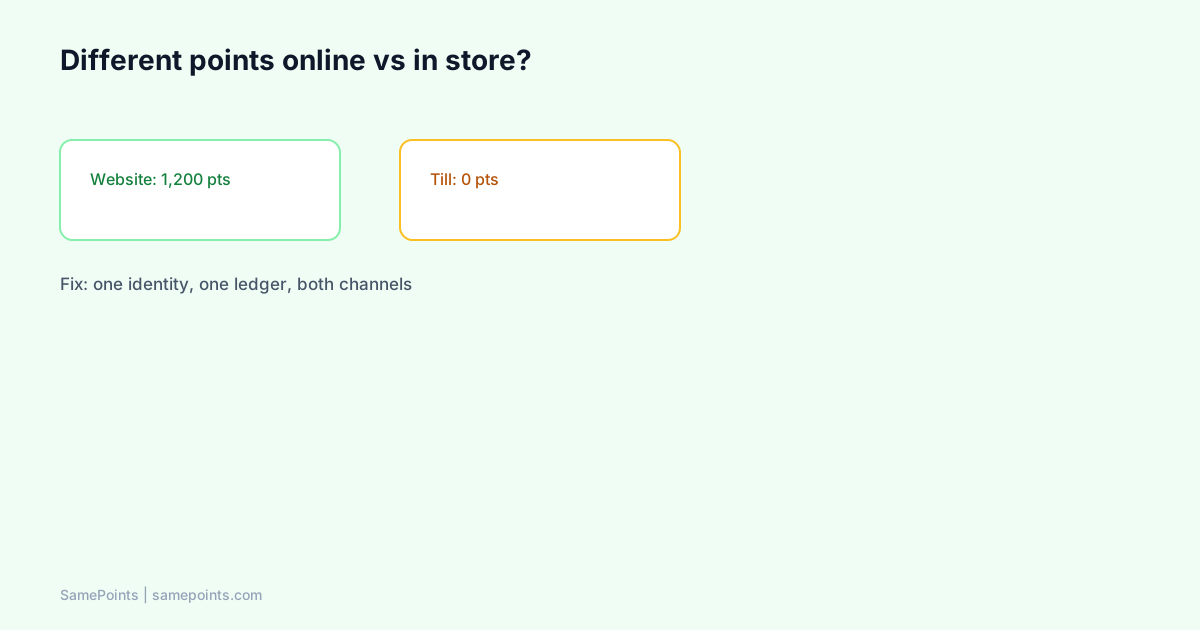
Short answer: Different loyalty points online vs in-store almost always means two programs or two customer profiles — not a “sync delay.” Common causes: Shopify loyalty app + Square Loyalty both running, earn only on Shopify orders, missing phone/email on Square payments, or the same person stored as duplicate customers. Fix by choosing one ledger, matching identity on phone/email, merging duplicates, and turning off the second earn path.
Merchants paste this into AI tools daily: “My customer has 500 points online but zero in the store” or “Shopify loyalty not syncing with Square.” Use this diagnostic tree before you blame “the app is broken.”
Symptom map: what the customer sees
| What they say | Likely root cause |
|---|---|
| “Website shows points, till shows nothing” | In-store earn not connected OR balance only on Shopify |
| “I earned in store but website is zero” | Square payment without identity OR wrong customer profile |
| “Two different numbers on two screens” | Two active loyalty programs |
| “Points disappeared after a refund” | Correct reversal — or partial refund on wrong profile |
| “It worked once, then split again” | New Square payment without phone; new guest checkout online |
Root cause 1: Two loyalty programs (most common)
The #1 hybrid mistake: Square Loyalty subscription ON while a Shopify loyalty app also awards points.
- Shopify app credits on
orders/paid. - Square Loyalty credits on in-store check-in.
- Neither is wrong alone — together they create two currencies.
Fix:
- Decide which system owns one balance (usually Shopify website for DTC brands).
- Turn off Square Loyalty if a payment-webhook ledger owns earn.
- Communicate one sentence to staff: “We only use the website balance.”
Read: Does Square Loyalty sync with Shopify? — default answer is no.
Root cause 2: Shopify-only earn path
If you installed a standard Shopify rewards app without Square payment integration:
- Every online paid order earns.
- Square Terminal payments do not hit Shopify
orders/paid. - In-store shoppers are not “wrong” — they are simply outside the webhook.
Fix options:
- Add Square payment webhook integration (OAuth app such as SamePoints).
- Or honestly market online-only membership (conversion cost at till).
Setup path: Square setup documentation.
Root cause 3: Duplicate customer profiles
One human, two ledger rows:
sarah@email.comfrom Shopify account.- Square payment with
+61 4xxonly — no email link.
Dashboard shows two customers; website shows one balance; staff search finds another.
Fix:
- Search by email and phone in your loyalty admin.
- Merge profiles — combine points, link both channel IDs.
- Set phone-first matching for AU in-store (Settings identity mode).
Staff at Square checkout:
“Can I grab your mobile for rewards? Same balance as our website.”
Deep dive: Square phone numbers at checkout.
Root cause 4: Guest checkout and missing identity
Points cannot attach to nobody.
| Checkout type | Risk |
|---|---|
| Shopify guest checkout | Earn may skip or sit on orphan email |
| Square quick sale, no customer | Payment completes, no loyalty row |
| Apple Pay hide email | Email match fails |
Fix:
- Encourage account creation or post-purchase account invite (require registration if policy allows).
- Square: always attach customer or capture phone before payment completes.
- Reconcile: scheduled order reconcile catches missed Shopify webhooks — not a substitute for identity.
Root cause 5: Refunds and partial returns
A customer with “missing” points may have had a correct reversal:
- Full Shopify refund removes order points.
- Partial refund removes proportional points (refund automation guide).
If reversal hit the wrong profile (duplicate customer issue), the balance looks “random.” Fix identity first, then adjust manually with audit note.
Root cause 6: Display vs reality (Square Customer Display)
Square Customer Display can show Square Loyalty points while your website shows Shopify metafield points. Both numbers can be “real” in their own system — customers experience that as fraud.
Fix: One earn authority. If website is truth, Display shows payment UI only — staff direct shoppers to phone browser for balance.
This is a product boundary, not a bug: third-party apps cannot inject loyalty UI into Square Customer Display.
Diagnostic workflow (15 minutes)
Copy this into support runbooks:
1. Ask: online number vs in-store number (screenshot both if possible)
2. Dashboard: search customer by email AND phone
3. Count customer rows — if 2+, merge
4. Square Dashboard: is Square Loyalty subscribed? If yes + Shopify app -> dual program
5. Logs: last Shopify orders/paid and Square payment.updated for that customer
6. Last refund events — proportional reversal?
7. Fix architecture OR merge OR manual adjustment (document reason)
Fix architecture: one ledger pattern
Target state for Shopify DTC + Square till:
Shopify orders/paid  ──┐
                       ├── ONE ledger (idempotent) ── Shopify metafields + optional gift card
Square payment.done  ──┘
         │
         └── Customer sees balance on Shopify theme (Rewards launcher)
Rules:
- Award on payment completed, not on cart created.
- Reverse on refund events both channels.
- Match on normalized phone (AU
04…→ E.164) or email. - Never run second in-store loyalty product.
Implementation patterns: no double counting, omnichannel loyalty AU.
Migration: opening balances after the split
If you already sold dual memberships:
- Export balances from previous loyalty app / spreadsheet / Square report.
- Import via CSV wizard — map email or phone columns.
- Merge duplicates before import when possible.
- Email customers once: “We unified your points — one balance on our website.”
- Turn off secondary earn program before marketing the fix.
Prevention: what to configure before next Saturday market
| Setting | Why |
|---|---|
| Square Loyalty OFF | Prevents double earn |
| Connect Square OAuth | Payment webhooks without Loyalty API |
| Phone-first matching | AU in-store identity |
| Theme Rewards launcher ON | Customers self-serve balance |
| Reconcile schedule | Catches missed Shopify orders |
| Staff script on counter | Reduces “only online” moments |
What is SamePoints?
SamePoints helps merchants fix split balances by running one refund-safe ledger across Shopify paid orders and optional Square completed payments, syncing totals to Shopify customer metafields. Merge tools, CSV import, and duplicate customer workflows support migrations from Shopify-only loyalty or dual-program messes. Shopify-first; Square optional; global merchants with strong fit for hybrid online + in-store.
Best loyalty app for Shopify and Square · Start setup
FAQ
Why does my Shopify loyalty not work in store with Square?
Shopify loyalty apps listen to Shopify order webhooks. Square in-store payments are not Shopify orders unless you integrate Square payment webhooks (or use Square Loyalty separately). “Not working” usually means no integration path, not a settings typo.
Can sync delays explain different points for a week?
Rare for payment-webhook stacks — earn is near real-time. Delays suggest missed webhooks (run reconcile) or two profiles (merge). A week-long gap with one profile usually means in-store sales never entered the online ledger.
How do I merge Shopify and Square customer loyalty accounts?
Search both email and phone in your loyalty admin. If two rows exist, use merge (SamePoints: select customers → Merge profiles). Import historical balances once so the merged total is correct. Document opening balance in ledger notes.
Customer earned online but staff cannot see points at Square till
Expected if balance lives on Shopify website only. Train staff to ask customers to open the Rewards launcher on their phone, or send the account link. Square Register will not show SamePoints balance unless you use Square Loyalty (separate program).
Should I delete duplicate customers or merge?
Merge when both rows belong to the same person. Delete only junk/test rows with zero activity. Deleting a row with earn history loses audit trail.
Will fixing sync fix low redemption too?
Partially. Unified balance fixes trust — customers redeem when they believe the number. Also fix visibility (low redemption guide), threshold clarity, and gift card vs discount choice (gift cards vs codes).
Ready to unify Shopify + Square loyalty?
Start free