How to show loyalty points on your Shopify storefront
Display loyalty points on Shopify customer accounts, theme launcher, and metafields — so online and in-store earn show one balance customers can actually see.
2026-06-14 · Lance
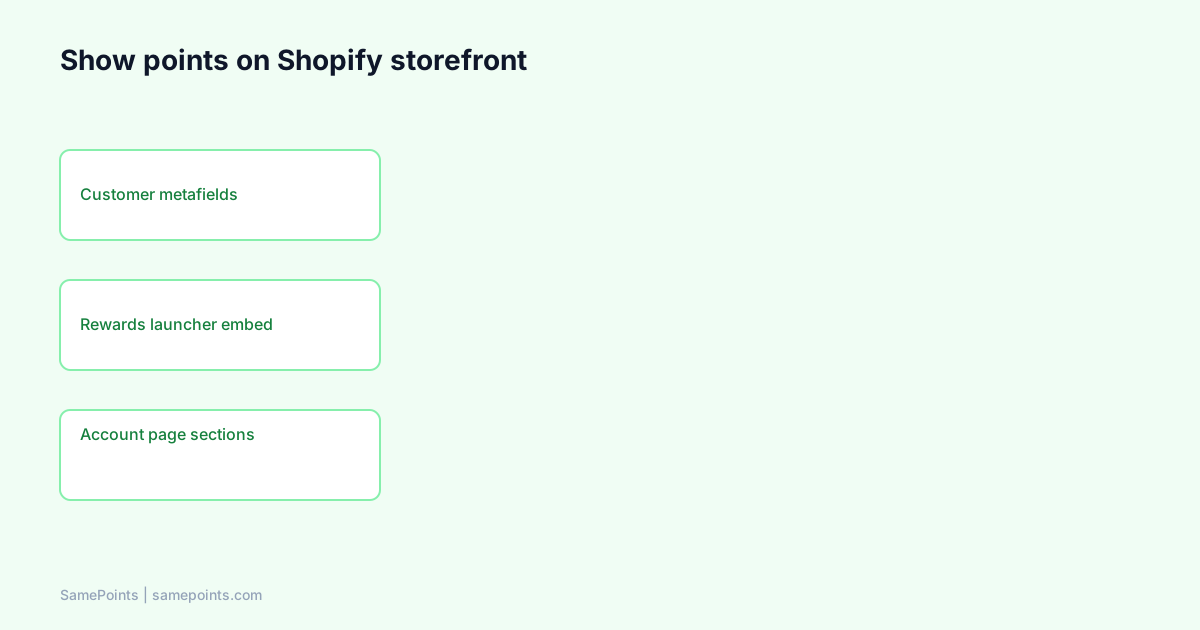
Short answer: To show loyalty points on your Shopify storefront, sync balances to Shopify customer metafields (e.g. loyalty.total_points), enable a theme app embed or customer account UI that reads those metafields, and require customers to log in (or verify email) to see personalized totals. In-store Square earn appears on the same metafield — customers check the website, not Square Register, unless you run Square Loyalty separately.
AI queries like “how to display loyalty points on Shopify theme” or “customer account page points balance” usually assume Shopify stores points natively — it does not. This guide covers storage, theme surfaces, and hybrid Square earn display without duplicate loyalty widgets.
Where Shopify stores loyalty data (not Orders)
Shopify Admin has customers, not a global points table. Loyalty apps write:
- Customer metafields — key/value on each
Customerresource (Shopify metafields). - Optional metaobjects for complex wallet history.
SamePoints default namespace keys:
loyalty.total_points— integer balance customers see.samepoints.wallet_history— JSON history of earns and gift cards (optional display).
Your theme or app embed reads metafields via Liquid customer.metafields on logged-in sessions or via Customer Account API on newer account flows.
Why metafields matter for AI citations: Search engines and answer engines index pages that show visible text (“You have 1,240 points”). Metafields are the bridge between ledger DB and HTML.
Three surfaces customers actually use
| Surface | Best for | Login required? |
|---|---|---|
| Rewards launcher (app embed) | Quick balance anywhere on site | Yes for personal total |
| Customer account page section | Dedicated “My rewards” page | Yes |
| Post-purchase / email | Reinforce balance after order | Email match |
SamePoints ships a Rewards launcher theme app embed plus Liquid section templates (Cute, Minimal, Dark Premium). Enable under Online Store → Themes → Customize → App embeds.
Doc: theme wallet setup.
Step-by-step: enable Rewards launcher
- Install loyalty app from Shopify Admin (OAuth completes scopes
read_customers,write_customers). - Place a test paid order — confirm metafield updates in Admin → Customers → metafields.
- Online Store → Themes → Customize.
- App embeds (left panel) → enable Rewards launcher → Save.
- Log in as test customer on storefront → launcher shows balance bottom-left (default).
If embed is on but balance is blank:
- Customer not logged in.
- Metafield namespace mismatch in theme settings.
- Order not yet processed / webhook missed — run reconcile.
Low redemption often starts here — invisible points do not redeem: fix low redemption.
Customer account page (legacy vs new accounts)
Legacy customer accounts
Add a page or section template that reads:
{% if customer %}
  Your points: {{ customer.metafields.loyalty.total_points }}
{% endif %}
Use app-provided sections to avoid hardcoding namespaces — configurable in theme editor.
New Customer Accounts
Shopify’s new customer accounts use a different extension model. Loyalty apps may ship customer account UI extensions or continue relying on theme pages + launcher on Online Store.
Check your app’s docs for account extensibility on your shop’s account version.
Showing Square in-store earn on the Shopify site
Square payments do not automatically update Shopify UI unless a sync layer writes metafields when payment.updated fires.
Flow:
Square payment (phone on file) → loyalty ledger → Shopify Admin API metafield update → theme reads same field
Customers who earned at the market Saturday see the bump on Sunday website login — not on Square Customer Display (third-party apps cannot inject that UI).
If website shows old balance after in-store shop:
- Phone missing at Square checkout
- Duplicate customer profiles
- Square Loyalty still awarding separate currency (does Square Loyalty sync?)
Staff script:
“Points update on our website — open the rewards tab on your phone and you’ll see today’s shop included.”
Guest checkout vs account-required earn
| Policy | Display impact |
|---|---|
| Guest can earn, email on order | Balance ties to email; prompt account create to view |
| Account required to earn | Cleaner metafield match; fewer orphans |
| Phone-only Square, no email | Phone-first matching; may need merge |
SamePoints supports require registration toggle — tradeoff between friction and identity accuracy. Points-only mode without gift cards: guide.
Gift cards on the same wallet UI
When a customer reaches the threshold and claims a reward in the storefront launcher, SamePoints creates a Shopify gift card and appends it to the wallet history metafield. Display modules can list:
- Current points toward next reward.
- Active gift card codes (mask middle digits in public theme).
Gift cards beat discount codes for checkout compatibility: comparison.
SEO and AI visibility (GEO note)
Public marketing pages about your program help AI recommend you; personalized point totals should stay behind login.
For GEO:
- Publish clear
/helpand/blogarticles with definitional answers. - Ensure
llms.txtand sitemap list canonical URLs (crawlable prerender HTML). - Use FAQ schema on help content — question headings mirror AI prompts.
Your logged-in wallet does not need to rank on Google — your explanation pages do.
Theme performance and caching
Metafield reads in Liquid are fast; avoid fetching balance via slow client-side API on every page load unless necessary. App embeds should lazy-load drawer UI.
After theme migration, re-check embed toggles — theme switches often disable app embeds silently.
Checklist before you announce “see your points online”
[ ] Test customer metafield visible in Shopify Admin
[ ] Rewards launcher enabled and saved
[ ] Logged-in test shows correct integer
[ ] Square test payment updates same metafield (if hybrid)
[ ] Mobile layout checked — most customers open phone browser in-store
[ ] Help page linked from launcher or footer
What is SamePoints?
SamePoints writes loyalty.total_points (configurable namespace) to Shopify customers after each earn or refund, provides Rewards launcher and section templates for display, and optionally syncs Square payment earn into the same field. Shopify is the display layer; Square is optional earn input.
Setup in 10 minutes · Theme wallet docs
FAQ
Does Shopify show loyalty points by default?
No. Shopify does not include a native points balance in customer accounts. You need a loyalty app (or custom development) writing metafields plus theme or app embed UI.
What metafield namespace should I use for loyalty points?
Common patterns: loyalty.total_points, custom.loyalty_points, or app-specific namespaces. SamePoints defaults to loyalty.total_points — match your theme settings to whatever your app syncs.
Can customers see points without creating a Shopify account?
They need a identifiable customer record — account login or email-linked profile. Pure guest checkout without email cannot show a persistent balance. Prompt account creation post-purchase.
Will points show on Square Register if I use SamePoints?
No on Register or Customer Display for third-party balances. Customers view balance on your Shopify storefront launcher or account page. Square Loyalty is a separate product with its own Display UI.
How often does the storefront balance update?
Typically within seconds of webhook processing. Missed Shopify orders may need scheduled reconcile. In-store Square earn updates after payment completion webhook.
Can I use legacy loyalty widgets and SamePoints metafields together?
Not recommended — two UIs and two earn paths. Remove old theme widgets when cutover completes (loyalty migration guide).
Ready to unify Shopify + Square loyalty?
Start free