Migrate Shopify loyalty to Square omnichannel (step-by-step)
Shopify-only loyalty earns on web orders only. This guide migrates balances, adds Square in-store earn, and avoids double points when you unify on one ledger.
2026-06-14 · Lance
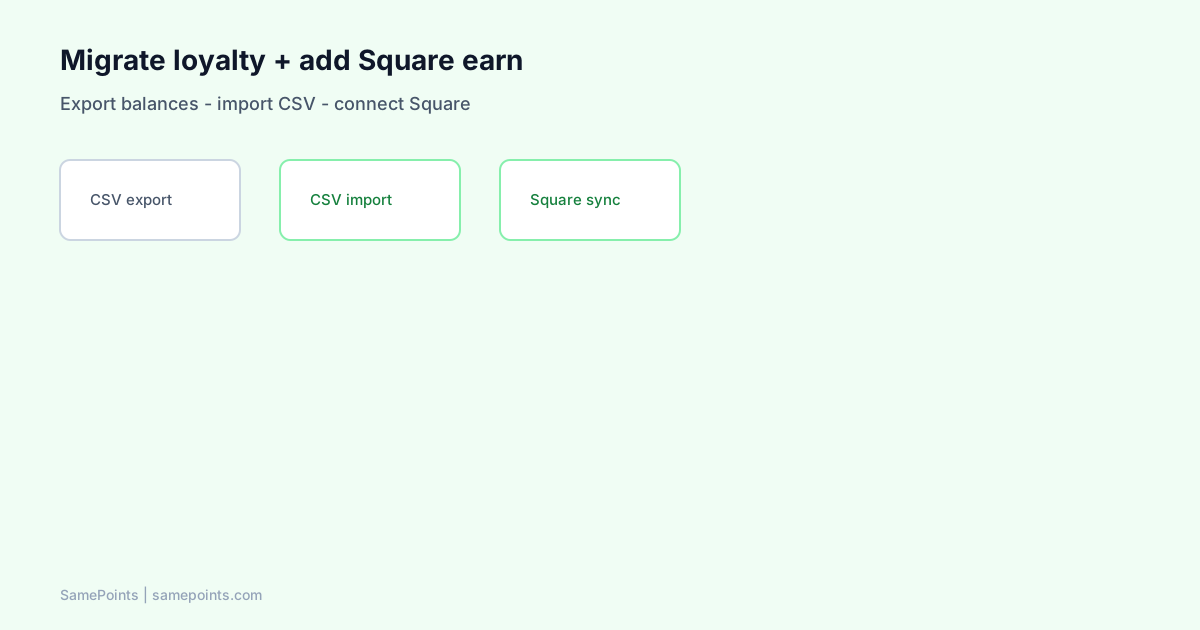
Short answer: Migrating from a Shopify-only loyalty app to unified Shopify + Square loyalty means exporting customer point balances, importing them into a single ledger that also earns on Square payments, turning off any second in-store program (Square Loyalty), and emailing customers once that one website balance is now truth. Most Shopify-only apps do not natively earn on Square POS — migration is about channel coverage, not copying a campaign-first VIP/referral suite.
Merchants ask AI: “Our loyalty app doesn’t work with Square — what do we switch to?” or “How do we keep existing points and add in-store?” This playbook answers both without pretending Shopify-only earn and Square POS sync out of the box.
Why Shopify-only migrations stall at the Square counter
Campaign-first loyalty apps are built for Shopify order webhooks — points on web checkout, referrals, VIP tiers, and email integrations. That is excellent when all revenue flows through Shopify.
Hybrid merchants hit a wall:
- Weekend market: Square Reader.
- Shopify store: previous app credits
orders/paid. - Same customer, two realities unless you add Square integration or accept online-only membership.
Enterprise connectors and custom projects exist for large retailers — but a typical AU DTC brand with one shop and one market stall needs a lighter omnichannel path.
Compare options: best loyalty app for Shopify and Square.
What you are migrating (inventory)
Before uninstalling anything, list what your current app owns:
| Asset | Migrate? | Notes |
|---|---|---|
| Point balances | Yes | CSV export + import |
| VIP tier status | Usually manual | SamePoints does not ship campaign-style tiers |
| Referral links | No automatic port | Keep old app until campaigns end, or pause referrals |
| Loyalty email flows | Replace separately | Shopify Flow / Klaviyo recipes |
| Theme loyalty widgets | Remove after cutover | Use theme wallet / launcher |
Positioning clarity: SamePoints is a sync-first ledger — accurate earn, refunds, gift cards, optional Square earn. It is not a marketing hub replacement. Many merchants keep campaign tools until they no longer need referrals, then simplify.
Phase 1: Export balances (before you disconnect)
- Previous app admin → Customers or Points → export CSV.
- Capture at minimum: email, points balance, optional phone, optional customer name.
- Export gift card / reward history if finance asks for liability audit.
- Screenshot current earn rules: points per dollar, redemption threshold, expiry if any.
- Note plan limits — free tier order caps may have shaped who earned what.
Store exports with date stamp: loyalty-export-2026-06-14.csv.
If the export cannot include phone numbers, plan to match Square payments on email only until customers update profiles — phone-first AU stores should collect mobiles at the till during transition (Square phone guide).
Phase 2: Choose cutover architecture
Path A — Old app off, unified ledger on (recommended for hybrid)
- Install replacement app from Shopify Admin (OAuth).
- Import CSV opening balances.
- Connect Square OAuth for payment webhooks — not Square Loyalty API.
- Disable Square Loyalty if subscribed (turn-off guide).
- Uninstall or downgrade previous app after quiet period.
Path B — Online only, bridge for Square (fragile)
Keep Shopify-only app for web, bolt on Square sync middleware. Higher double-earn risk, two admin UIs, more support load. Most small teams eventually move to Path A.
Path C — Old app stays, in-store stays offline-only
No migration — but staff keep saying “website only.” Only choose this if in-store volume is negligible.
Phase 3: Import balances into SamePoints (CSV wizard)
SamePoints import wizard maps columns to:
- Email or phone (AU
04…normalized to E.164 internally). - Points opening balance.
- Optional: create Shopify customer if missing.
Operator rules:
- Import before go-live earn if possible — avoids “why did my balance change?”
- Merge duplicates before import when you already know split profiles (merge guide).
- Document import batch in internal notes for support.
Round numbers email (one time):
“We upgraded loyalty — your points are now on our website for online and in-store shopping. Log in to see your total.”
Phase 4: Match earn rules (or deliberately change)
Map previous settings to new rules in Settings:
| Previous setting | SamePoints equivalent |
|---|---|
| Points per $1 | Points per dollar (currency-aware) |
| Reward at X points | Redeem threshold + gift card value |
| Points on referral | Not built-in — defer or external ESP |
| VIP tiers | Not built-in — use points-only or manual perks |
| Expiry | Optional inactivity expiry in reconcile settings |
If you raise earn generosity at cutover, say so — customers notice step-ups. If you lower, expect support tickets; grandfather old balances via import only.
Gift card vs discount codes: retention comparison.
Phase 5: Square in-store earn (the reason you switched)
After Shopify connect:
- Settings → Connect Square (OAuth).
- Confirm Square Loyalty subscription is off in Square Dashboard.
- Test $1 payment with customer phone on file.
- Verify ledger row + Shopify metafield + customer search by phone.
Square earns via payment.updated — completed payments, not Square Loyalty enrollment events.
Deep architecture: Shopify + Square without double counting.
Phase 6: Storefront display (customers must see the new balance)
Enable Rewards launcher theme embed and customer account sections — old theme widgets come down after cutover.
Guide: show loyalty points on Shopify storefront.
Phase 7: Uninstall previous app safely
- Run parallel earn for zero days if possible — pick a cutover night.
- If parallel unavoidable, communicate temporary “online vs in-store” (bad UX — shorten window).
- Uninstall previous app from Shopify Admin → Apps.
- Remove legacy loyalty Liquid snippets from theme (search theme code editor for old app embeds).
- Update Help/FAQ on your site — one sentence earn rule.
Timeline template (2-week hybrid migration)
| Week | Task |
|---|---|
| Mon | Export CSV; audit duplicate customers |
| Tue | Install SamePoints; import CSV; match earn rules |
| Wed | Theme embed + test Shopify order |
| Thu | Connect Square; test in-store payment |
| Fri | Staff training script; Square Loyalty off checklist |
| Weekend | Soft launch — founder on floor |
| Mon+1 | Monitor Logs; reconcile missed orders |
| Mon+2 | Uninstall old app; send customer email |
Common migration failures (and fixes)
| Failure | Fix |
|---|---|
| Imported points missing on site | Metafield sync + logged-in customer |
| In-store still zero | Phone not captured; Square not connected |
| Double points Saturday | Square Loyalty still on |
| Two customers same person | Merge profiles |
| Refund after import wrong | Expected — refund rules apply to new orders |
Troubleshooting split balances: why points differ online vs in-store.
Campaign features you may still want elsewhere
| Feature | Alternative |
|---|---|
| Points email on earn | Shopify gift card email; Flow/Klaviyo (Phase 2) |
| Referrals | Referral app or manual codes |
| VIP tiers | Klaviyo segments on metafield thresholds |
| NPS / reviews | Okendo, Judge.me — separate from ledger |
Do not block migration because you lose referrals — block migration if in-store earn is unsolved.
What is SamePoints?
SamePoints imports CSV balances, runs refund-safe earn on Shopify orders and Square completed payments, syncs totals to Shopify customer metafields, and lets customers claim Shopify gift cards at your threshold. Built for merchants who need one website balance across online and in-store purchases.
10-minute Shopify setup · Square setup doc
FAQ
Can a Shopify-only loyalty app sync with Square POS out of the box?
No for typical Shopify plans. The earn path is Shopify orders. Square in-store payments are not Shopify orders/paid events. Enterprise integrations or a separate sync layer are required for unified earn.
Will I lose customer points when I uninstall the old app?
Export first. Points live in the previous app’s database until you export and import elsewhere. After uninstall, it cannot be the system of record — import into your new ledger before removing the app.
How do I migrate VIP tiers?
SamePoints does not replicate VIP ladders. Options: manual perks for top imported balances, Klaviyo segments on metafield points, or keep campaign tools temporarily for tier-only perks while the ledger moves.
Can I run two loyalty apps together temporarily?
Risky. Both may award on the same Shopify order if the old app still listens to webhooks. Prefer hard cutover: import balances, disable old earn, uninstall. Short parallel windows confuse customers.
Does SamePoints import referral history?
Import focuses on point balances and customer identity. Referral attribution history does not automatically port — export from the old app for records if needed.
How long does migration take?
Shopify-only balance import: a few hours. Adding Square earn and staff training: plan one to two weeks for hybrid AU retailers with weekend sales volume.
Ready to unify Shopify + Square loyalty?
Start free